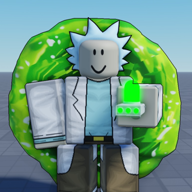
What is the portal sandbox beginner guide order for keys?
T — Portal Gun E — Regenerate F — Blender Dimension (before portal entry) R — Dimensions X — Mech Blaster V — Robo Arms

Portal sandbox beginner guide for Place 75108253383447: official T/E/F/R/X/V binds, Blender timing before entry, E recover, then X/V. Not BF6 or Valve Portal.
First hour: T portals, F before Blender, E regenerate.
~9 min read
[FIX] Portal Sandbox is a Rick-and-Morty-inspired portal sandbox on Roblox from @D3wsie (Place 75108253383447). This portal sandbox beginner guide covers the first hour: confirm the live listing, learn T portal pairs, press F before Blender Dimension entry, recover with E, then add X Mech Blaster and V Robo Arms once travel feels stable. Verified October 29, 2026 · Play on Roblox.
| Fact | Detail |
|---|---|
| Platform | Roblox · Desktop, Console, Mobile, Tablet · NO VR |
| Genre | Action · Battlegrounds & Fighting · sandbox PvP |
| Server size | Up to 20 players per server · createVipServersAllowed false (API) |
| Price | Free to play on Roblox |
| Listing controls | T Portal Gun · E Regenerate · F Blender Dimension · R Dimensions · X Mech Blaster · V Robo Arms |
| Live CCU snapshot | ~2,409 playing (Roblox API snapshot Oct 29, 2026) |
| Visits snapshot | ~1,807,243 visits (API Oct 29, 2026) |
| Confusion filter | Not BF6 Portal · not Valve Portal · not script pages |
Matched by build plan, shared topics, and guide progression — not random related links.
Search results mix Azure “sandbox portals,” Battlefield Portal editors, and dead Roblox clones. Before you bind keys, open the experience card and match every line below.
Copy-paste joins from social posts sometimes land on old or unrelated experiences. The only place this wiki documents is 75108253383447. If the card shows a different number, back out and use the official Roblox page or developer profile link instead of a random search result.
Roblox keeps the chat bar hot. Click into the world, press / once to clear focus if keys feel dead, then test T in a quiet corner. Full bind reference: portal sandbox controls.
T selects the Portal Gun on PC layouts copied from the listing. Your first goal is not PvP flair — it is a reliable two-portal route you can repeat while looking at the HUD.
| Step | What to do |
|---|---|
| Equip | Press T until the portal gun is active (mobile: tap the matching tool icon) |
| First shot | Aim at a flat wall or floor and place portal one |
| Second shot | Aim at a second surface within range and link portal two |
| Test travel | Walk through one portal and confirm you exit the other |
| Reset habit | If a shot fails, regenerate or reposition before chasing fights |
Twenty-player Battlegrounds servers get chaotic fast. Spend your first five minutes in open space: place a pair, run through both directions, then break line-of-sight and try again. When shots whiff, note whether you were moving, jumping, or still in chat — those three cause most “portal gun not working” reports before it is a Beta bug.
Deep tool notes and cosmetic game passes that change gun look but not listing behavior live on portal gun.
Community recaps jump straight to exotic worlds. The listing still expects you to understand basic pair travel first. If you cannot return to your starting alley reliably, fix T before you worry about R or F.
F toggles Blender Dimension mode on the official bind list. The listing text is explicit: press before entering a portal, not after you land on the other side. That order is the most common first-hour failure.

| Order | Correct | Wrong |
|---|---|---|
| 1 | Open or select a portal destination you intend to enter | Sprint through first and press F on arrival |
| 2 | Press F while Blender Dimension is available | Confuse F with regenerate (E) after taking damage |
| 3 | Walk through the portal | Press F only after you already exited on the far side |
| 4 | Confirm you landed in the intended space | Spam F during PvP without a portal line ready |
Search engines assume 3D modeling software. In this game, Blender Dimension is a travel mode tied to portals — not a modeling tutorial. The dedicated page keeps software SEO out of your session: blender dimension.
Check chat focus, confirm T created a usable portal, and retry the sequence in an empty pocket of the map. Timing mistakes feel like broken keys; see beta bugs when every bind fails at once.
R opens the Dimensions UI on PC according to the listing. Treat it as a picker for alternate spaces once you already understand portal travel — not a substitute for learning T.
After your first stable portal pair, press R and read the options without rushing into PvP hotspots. Community recaps claim on the order of 87 dimensions — Unverified against the Roblox listing, but useful as a mental map that many worlds exist. Pick one low-traffic destination, set F before entry, then walk through.
The tier list on this wiki ranks learning order, not damage. Portal Gun → Regenerate → Blender timing → Mech Blaster → Robo Arms still beats hunting rare dimensions with broken travel fundamentals.
Once you can place portals and enter a dimension with the correct F timing, add survival and combat tools in this order.
| Key | Tool | First-hour use |
|---|---|---|
| E | Regenerate | Recover after falls, bad portal exits, or lost PvP trades |
| X | Mech Blaster | Ranged pressure after you can disengage with portals |
| V | Robo Arms | Melee gadget — learn last so you do not panic-swap mid-fight |
X and V matter in twenty-player Battlegrounds lobbies, but they punish players who still fumble portal pairs. Practice exiting a fight through a pre-placed return portal before you invest muscle memory in blaster swaps. Weapon pages mark older Knife/Laser recap binds as Unverified: weapons.
Recap footage describes optional loops the Roblox card does not fully document. Treat every row below as Unverified — useful, not official until you confirm it in your own session.
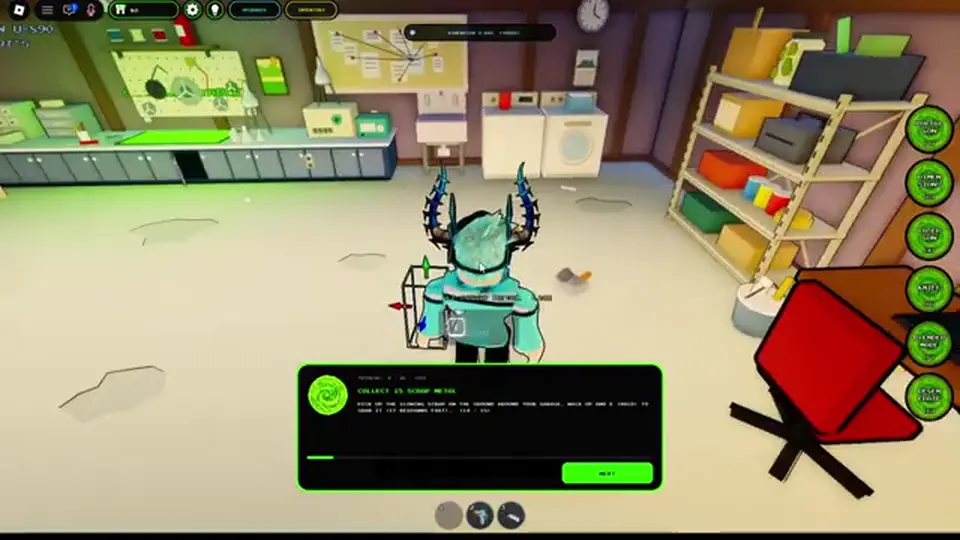
| Topic | Community claim | Status |
|---|---|---|
| Dimension count | Roughly 87 selectable dimensions via R UI | Unverified count — menu exists on listing (R) |
| Flying saucer freebies | Free items near a saucer / door landmark | Unverified reward — explore at your own risk |
| Crafting / mix box | Combine materials in a mix box; mega seeds mentioned | Unverified crafting — press F near blender stations per recaps |
| IQ progression | IQ XP from NPC interactions or defeats | Unverified; VIP pass mentions 2x IQ XP in shop text |
| Trading outposts | Sell farmed materials at outpost vendors | Unverified economy loop |
| Blood cells / toxic sludge | Farm rare drops; sludge stacks 5→60 in guides | Unverified drop math |
| Promo codes | HUD code field mentioned in recaps | No confirmed active codes — see codes |
If you choose to farm, the recap pattern is simple: enter a dimension, collect world materials, return to hub space, sell at an outpost when you find one, spend earnings on speed or gadget limit upgrades. Exact prices and upgrade caps are Unverified — write down what you see instead of trusting a copied spreadsheet.
Recaps show pressing F before using a world blender station, mirroring portal entry rules. That matches the listing’s “before entry” wording even when the station is not a portal. If interaction fails, retry after clearing chat focus.
The shop and search indexes bait you with cosmetics, unrelated codes, and damage myths. Skip these until travel and E recovery are boring.
| Skip for now | Why |
|---|---|
| Cosmetic portal gun game passes | Change look/UI colors — not listing damage boosts |
| VIP for “power” | Shop text: 2x money per kills (NOTHING ELSE), 2x IQ XP, tag — not extra weapon damage |
| Pasting random “codes” | No confirmed strings — how to redeem if a UI appears |
| Knife on Q from old videos | Stale vs Oct 29, 2026 listing — do not rebind expecting official support |
| BF6 / Valve Portal guides | Wrong game entirely |
| Unofficial Discord invites | Listing publishes no verified invite — avoid look-alike servers |
If you already main the game, cosmetic portal colors or kill sounds are personal preference. Read live Robux prices on game passes and assume VIP is an economy convenience, not a combat tier skip.
Scan this table mid-session when something feels “broken.” Most issues are order or focus, not account bugs.
| Mistake | Fix |
|---|---|
| Keys dead on spawn | Click world · exit chat · retry T on controls |
| F appears to do nothing | Press before walking through · confirm portal exists |
| Entered wrong dimension | Use R deliberately · practice pair return portal first |
| Died holding wrong tool | E then T disengage before X/V |
| Bought VIP expecting damage | Re-read shop “NOTHING ELSE” line on game passes |
| Pasted a code from another game | Stop — empty confirmed table on codes |
Jumping into twenty-player fights before portal return routes are muscle memory burns time. Warm up in low-traffic pockets, then read pvp for server etiquette when you are ready.
Portal sandbox controls locks the official bind chart, then portal gun and blender dimension deepen T and F. Check codes before you trust any promo string, and keep beta bugs open when multiple keys fail at once.
Browse the guides hub for P0 routes or the wiki hub for mechanic cards.
T — Portal Gun E — Regenerate F — Blender Dimension (before portal entry) R — Dimensions X — Mech Blaster V — Robo Arms
No. This wiki covers Roblox Place 75108253383447 only — not BF6 Portal editors or Azure sandbox login pages.
Official shop copy limits VIP to 2x money per kills (NOTHING ELSE), 2x IQ XP, chat tag, and hide kills — see game passes.
No confirmed active codes as of October 2026. Use the empty table on codes and verify any future UI yourself.
That bind is Unverified and likely stale. The Oct 29, 2026 listing documents T/E/F/R/X/V only — details on weapons.
The Roblox listing does not publish a verified invite. Do not join unrelated servers based on search snippets alone.
October 29, 2026
Matched by build plan, shared topics, and guide progression — not random related links.